Selasa, 24 Januari 2012

Perfect Uninstaller V6.3.3.9 Full Version


Perfect uninstaller adalah software utilities yang digunakan untuk uninstall program secara komplit . Sebenarnya Perfect Uninstaller ini sama dengan halnya Your Uninstaller tergantung kita suka dengan yang mana hehehe ^_^

Dibawah ini adalah fitur dari perfect uninstaller diambil dari situs www.perfectuninstaller.com


Feartures And Benefits

  • Easily and completely uninstall programs that could not be removed by the standard Windows Add/Remove applet, such as, Adobe Reader, AVG, Internet Explorer,Microsoft Office, McAfee, Norton and much more difficult to uninstall programs.
  • Completely clean the empty / corrupted registry entries that a program leaves over. Protect your registry from empty / corrupted errors and improve your PC performance.
  • Forcibly uninstall any corrupted programs. When a program runs with errors or its own uninstall feature doesn't work, Add/Reove Programs can't uninstall the corrupted program completely. However, Perfect Uninstaller can forcibly uninstall it without any difficulty.
  • Forcibly display and uninstall hidden programs installed on your PC. Once you install Perefct Uninstaller, all the hidden applications which maybe runs without your notice will show up instantly. You can uninstall these applications with Perfect Uninstaller easily.
  • Much faster than the Add/Remove applet. Fast point to the folder where the program is installed, and quickly scan the details of the program.
  • Restore Registry. At any time, you can use the "Option"->" Restore Registry " to restore the registry to a previous state, and restore files from the recycle bin where the files were removed into.
  • Easy to use with friendly user interface. Provide 3 list view styles of programs before uninstall, including Icons, List and Details. Provide 3 options to uninstall, including Uninstall, Special Uninstall and Force Uninstall.
  • System Manager. Backup registry in order to restore system easily when Windows NT/2000/2003/XP/VISTSA32/VISTA64/WINDDOWS 7 crashes. Three ways are available to restore system. Start Manger lets you easily administer which program is launched at the system startup. That is, you can enable, disable or remove the program that could run at the system startup within the two separate lists, Startup List and Restore List. The applications that currently run at the startup are listed in Startup List while Restore List centrally manage a list of the previously disabled applications.
  • Operating System: Windows 95/98/ME/NT/2000/2003/XP/ Vista32/ Vista64
Screenshot :

Main Interface
Easy to use and user friendly interface

Main Interface

Uninstall Program

Special Uninstall & Force Uninstall
Remove programs that could not be removed by Add/Remove Programs.
Special Uninstall

Force Uninstall

System Manager
lets you easily manage system registry and manage system startup.   To Restore Crashed Windows System.
Back Up System Registry and Network Settings

Restore System Registry and Network Setting

Manage Startup List

Restore Startup Items

Three ways of application view; show details about currently installed applications...
Program Details

Detailed list

Big Icons

Programs Overview


Uninstall Steps
Remove programs in simple and fashion way.
Step 1Step 2
Step 3Step 4

Step 5
Download HERE

Kamis, 19 Januari 2012

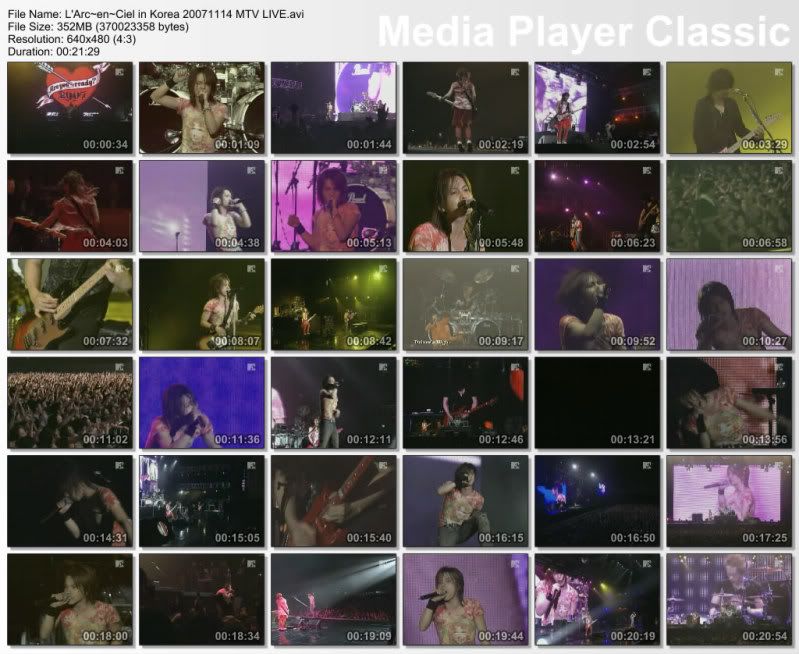
MTV L'Arc~en~Ciel - Live in KOREA 2007

MTV L'Arc~en~Ciel - Live in KOREA 2007 

MTV diary L'Arc~en~Ciel in KOREA


DOWNLOAD Part 1


DOWNLOAD Part 2


DOWNLOAD Part 3


Liputan eksklusif MTV, tentang Live L'Arc~en~Ciel di Korea.. mulai dari kedatangan di bandara yang heboh banget, konfrensi pers, makan malam, interview, mpe latihan.. di part3 di tampilin juga live nya, dan komentar2 dari para fans korea.


versi lengkap livenya ada dibawah !!!

L'Arc~en~Ciel - MTV Live in KOREA

Rabu, 18 Januari 2012

L'Arc~en~Ciel - Smile Tour 2004


Tracklist:
1. READY STEADY GO
2. Lover Boy
3. HEAVENS DRIVE
4. Yokan
5. Coming Closer
6. Time goes on
7. Eien
8. Butterfly's Sleep
9. Hitomi no Jyuunin
10. Kuchizuke
11. Driver's High
12. Feeling Fine
13. HONEY
14. REVELATION
15. Shout at the Devil
16. milky way
17. Jiyuu e no Shoutai
18. STAY AWAY
19. Niji

L'Arc~en~Ciel - LIVE In U.S.A 2004


Tracklist :
1. 接吻
2. Lover Boy
3. Heaven’s Drive
4. Spirit Dreams Inside
5. 自由への招待
6. 永遠
7. 花葬
8. 瞳の住人
9. Driver’s High
10. Feeling Fine
11. Stay Away
12. Revelation
13. Ready Steady Go
14. Honey
15. Blurry Eyes
16. Pieces

Part (1)
Part (2)

Shibuya Seven Days 2003


Live DVD shot at Yoyogi Daiichi Taiikukan on the last day of “Shibuya Seven Days 2003,” the 7 days of concerts that took place between June 28 and July 6.Artist : L’Arc~en~Ciel
Album / DVD : Shibuya Seven Days 2003 DVD
Release date: 2003/12/17

Tracklist

1. Fare Well
2. Caress Of Venus
3. Heaven’s Drive
4. Flower
5. Get Out From The Shell
6. Lies And Truth
7. Driver’s High
8. Blurry Eyes
9. Stay Away
10. 虹
11. Trick
12. Dive To Blue
13. あなた

Other Side of "7" [Audio A/Audio B]
DVD ini berisi rangkaian LIVE Concert pertama mereka setelah comeback dari hiatus/vakum. LIVE ini diadakan di kota Shibuya selama 7 hari berturut-turut dan materi lagu kebanyakan diambil dari lagu-lagu lama mereka untuk mengenang masa-masa sebelum mereka vakum.


DOWNLOAD HERE


L'Arc~en~Ciel - Grand Cross Conclusion 1999 [DVDRip & DVD ISO]


Tracklist :
1. trick
2. HONEY
3. 死の灰 [Shi no Hai]
4. It’s the end
5. Sell my Soul
6. いばらの涙 [Ibara No Namida]
7. fate
8. 虹 [Niji]
9. snow drop
10. the silver shining
11. 花葬 [Kasou]
12. 侵食~lose control~ [Shinshoku]
13. Caress of Venus
14. HEAVEN’S DRIVE
15. DIVE TO BLUE
16. Shout at the Devil
17. Perfect Blue
18. Driver’s High
19. Blurry Eyes

Filename : L'Arc~en~Ciel - GRAND CROSS 1999.mkv
File Size : 700MB
Resolution : 712x480
Duration : 1:45:43
Part (1)
Part (2)
Part (3)
Part (4)
Part (5)

Senin, 16 Januari 2012

Desktop-3D Notes Icon Desktop-3D Notes


The never-ending supply of sticky notes with many extra features. Download it now and try it for free. The POSSIBILITIES are ENDLESS!
If you have ever used a yellow sticky note then Desktop-3D Notes are for you!!
Click here to download Desktop-3D Notes and try it for free.
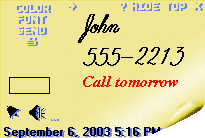
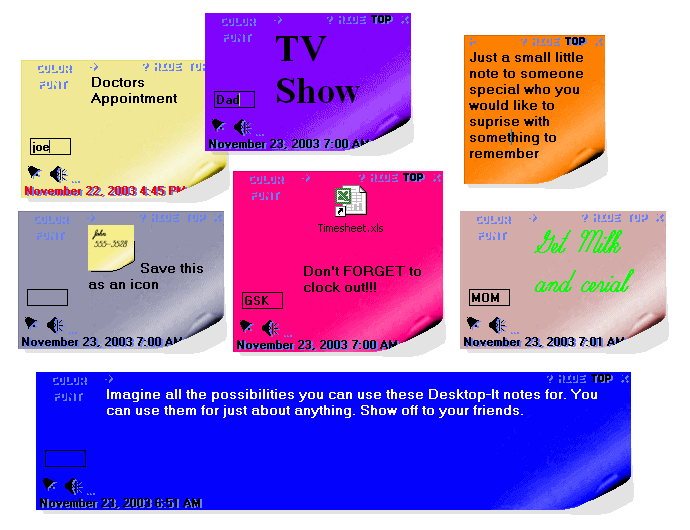
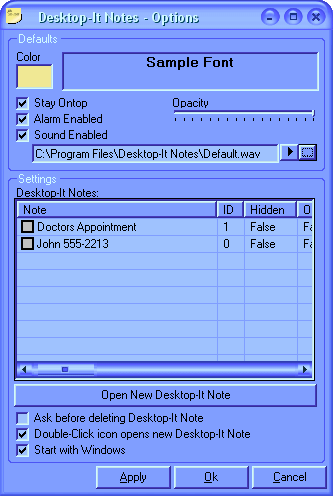
Desktop-3D Notes Screenshot 1          Desktop-3D Notes Screenshot 2
Desktop-3D Notes will keep your desk clean and clutter free while still allowing you the luxury of having sticky notes. Any color is available for any Desktop-3D Note. Never have to worry about finding a pen and a paper or a sticky note, Desktop-3D Notes have an unlimited supply and is so very easy to use and quick to open.
Desktop-3D Notes are so realistic looking you would probably try to take them off your monitor only to find out that they exist within the monitor. Desktop-3D Notes are very beautiful, professional, clean and easy to use.


...and BEST of all they are FUN!!


As seen in
XP Magazine

Magazine article
and
Magazine article

Click here to download Desktop-3D Notes and try it for free.


Key Benefits

  • Very realistic graphics.
  • Send Notes across the internet.
  • Print your notes.
  • Notes popup and flash when the alarm sounds.
  • Import and Export Notes.
  • Resize each Desktop-3D Note as you need.
  • Organize and sort all your Desktop-3D Notes.
  • Add pictures or almost anything to your Notes.
  • Mouse wheel support.
  • OLE Support.
  • You can add your initials to each Note.
  • Add as many Desktop-3D Notes as you need.
  • Systray Icon for Easy access to new Desktop-3D Notes.
  • Change each Desktop-3D note to any color at anytime.
  • Automatic updates.
  • Sliding options for each Desktop-3D Note
  • Ability to change the font of each Desktop-3D Note.
  • You can now change font, size and color throughout the notes text.
  • Ability to change the alarm sound of each Desktop-3D Note.
  • You can hide Desktop-3D Notes and the alarm will still remind you.
  • You can adjust the opacity of each Desktop-3D Note with Windows XP.
  • Each Desktop-3D note can be set to the topmost window.
  • Easy to use and very fun.
  • Much easier than trying to find a pen and paper.
  • Create beautiful Notes with ease.
  • Desktop-3D Notes are saved immediately and will not be lost in case your computer crashes or anything else.

Click here to download Desktop-3D Notes and try it for free.


Screen Shot

Desktop-3D Notes Screenshot 3
Click image to enlarge
Desktop-3D Notes Screenshot 4
Click image to enlarge

Desktop-3D Notes Screenshot 5

Download it now and try it for free.

Selasa, 10 Januari 2012

Google Earth Pro | Download Google Earth 6.0 Pro Crack | Patch (Full 2011 Final)


Google Earth 6.0.2 Pro terbaru, Fitur baru dengan penyempurnaan 3D + Tampilan Street View, dalam postingan ini saya share untuk Patch Google Earth menjadi Full Version dengan gratis, silahkan coba , Download Google Earth PRO (Professional) 2011,

Download Google Earth 6.0 Pro 2011 + Patch :
---------------------------------------------
Passwort RAR : dytoshare
---------------------------------------------

Senin, 09 Januari 2012

Membobol Billing Warnet

Membobol Semua Jenis Billing Warnet Pertidaktanggungjawaban : Artikel ini ditulis untuk menambah pengetahuan tentang keamanan sistem komputer terutama para operator / SysAdmin dari server warnet, penulis tidak bertanggung jawab bila artikel ini digunakan untuk kejahatan apapun bentuknya.tulisan ini dibuat bukan untuk mecuri rejeki orang,tetapi hanya untuk memperluas wawasan para netter indonesia Cara pertama Cara ini saya dapetin pas kantong lagi kempes tapi nafsu online lagi tinggi Setelah muter2 otak sebentar sambil tidur, akhirnya kutemukan cara buat ngakalin billing warnetnya buat ngirit ongkos online. Kalau cara yang ada di X-Code Magz vol4 itu cuma bisa untuk Billing Explorer(memang bisa, saya sudah membuktikannya) Cara ini berlaku untuk segala versi billing explorer dan kebanyakan aplikasi billing lainnya. Dan merupakan kelemahan semua billing warnet yang berbasis windows!!!
Penasaran mau tau caranya ? Baca aja sampai habis !
Skali lagi saya ingatkan buat anda yang merasa udah pinter diharapa ga usah baca, kecuali pengen mati kebosanan (niru kata-kata siapa ya?

Ini dia caranya ...
Saat kita mulai menyalakan komputer di warnet yang pertama muncul saat windows dimulai adalah login screen client billing yang menutupi seluruh area windows. Fungsi Alt+Tab dan Ctrl+Alt+Del biasanya ikut-ikutan di-disable untuk memaksa kita login melalui program billing itu.
Sebenarnya saat kita menghadapi login screen itu komputer sudah siap dijalankan. Hanya terhalang oleh screen login yang menyebalkan itu. Naah... udah tau apa yang bakal saya jelasin ? Kalo udah tau, brenti aja bacanya. Daripada mati kebosanan

Yess.. betul sekali. Yang perlu kita lakukan hanyalah menyembunyikan jendela login itu tanpa perlu login. Ada banyak progie buat nyembunyiin window, salah satunya ZHider. Saya hanya akan menjelaskan penggunaan ZHider. Bagi yang menggunakan progie laen silakan baca manualnya, tapi yang perlu diperhatikan adalah progie yang anda gunakan harus bisa show/hide window pake hotkey coz windows kita kan ditutupi sama login screen sialan itu.

Yang harus disiapkan:
1. Program ZHider. Cari sendiri pake om google. Ukurannya kecil kok, ga sampe setengah isi disket.
Aku nemunya pas smp tapi baru sekarang kepake ^^
2. Muka bego
3. Mental yang kuat

Langkah-langkahnya:

01. Masuk warnet dan pasang muka bego biar ga dicurigai operator
02. Pastikan selain box/bilik yang kita tempati masih ada box lain yang kosong. Biar ga dicurigai juga sih.
03. Usahakan cari tempat yang jauh dari op, supaya ga ketahuan box kamu kosong apa nggak.
04. Nyalakan kompi dihadapan anda bila masih dalam keadaan mati.
05. Saat masuk login screen, login aja seperti biasa.
06. Jalankan ZHider yang sudah disiapkan di disket/flashdisk. Kalo belom ada, cari aja pake google.
07. Setelah ZHider dijalankan langsung aja logout.
08. Naah, di login screen ini kita mulai aksi mendebarkan kita. Tekan Ctrl+Alt+Z.. Jreeeng, login screen telah menghilang !!!
09. Browsinglah sepuasnya, tapi tetap pastikan ada box lain yang kosong. Kan aneh kalau ada yang masuk warnet, dia lihat udah penuh. Padahal di billing server kelihatan masih ada yang belum login.
10. Kalo sudah puass tekan Ctrl+Alt+x untuk memunculkan kembali login screen yang menghilang entah kemana
11. Login seperti biasa dan browsing beberapa menit sampai penunjuk tarif sampai ke angka yang kita kehendaki. Ini supaya ga dicurigai.
12. Logout. SIapkan muka bego, lalu bayar tarif.

Cara ini lebih mudah dilalukan bila si operator ga terlalu kenal sama kamu. Apalagi bila si op sering keluyuran.

Ini beberapa hotkey ZHider yang bisa digunakan, untuk hotkey lainnya silakan baca file readme yang disertakan bersama zhider

CTRL+ALT+Z Menyembunyikan jendela aktif
CTRL+ALT+X Menampilkan kembali semua jendela yang disembunyikan
CTRL+ALT+L Menampilkan dialog zhider
CTRL+ALT+M Menampilkan kembali semua jendela yang disembunyikan, dan juga menutup zhider.

Kalo cara di atas ga bisa dilakuin, hentikanlah usahamu. Sesungguhnya perbuatan jahatmu tidak diridhai Tuhan
Kalo ketahuan langsung pertebal "muka bego"-mu. Misalnya bilang "Eh, kok jadi gini ya? Kemaren ga gini kok." Ato kata-kata lain, tergantung kreatifitas anda.


NB : Program ini tidak dapat digunakan untuk warnet2 yang menggunakan GEtBack..


Cara kedua

1.pasang muka culun (ato bego) kek yg diomongkan diatas
2.sediah kopi
3.tentunya rokok
4.nah sekarang yg perlu kalian jalankan adalah
5.cabut kabel lan cardnya ...
6.trus restart komputer kamu
7.jika sudah kluar gambar desktop sebelum gambar billing itu kluar kamu cepet²an tekan alt+del+ctrl dan kamu del yg client 008
gampangkan ?


Cara ketiga

Sering kali kita menjadi lupa waktu bila berada didepan komputeruntuk surfing dan hal ini ngak jadi masalah bila memakai komputer di kantor dengan koneksi broadband atau Dsl. Masalah baru muncul apabila kita surfing di Warnet. Proteksi yang biasa digunakan oleh warnet pada umumnya adalah nag screen atau window yang mengharuskan kita login terlebih dahulu [note:login ini berbeda dengan login start up] karena pada dasarnya komputer sudah dalam keadaan siap pakai hanya terhalang oleh nag screen tersebut, sedangkan koneksi ke internet dalam keadaan stand by. Yang harus dilakukan adalah membypass proteksi tersebut.

Prosedurnya adalah :
Tetap harus login terlebih dahulu agar tidak mencurigakan

Download Wincontrol –>> winctrl.exe untuk bypass login screen

Ekstrak wincontrol dan aktifkan
F9 = untuk menghilangkan window pada aktif cursor
F10= untuk mengembalikan window seperti semula
Jalankan timer untuk mengingatkan durasi waktu yang diinginkan
Logout bila telah mencapai biaya yang ditetapkan, biasanya tarif perjam Rp 6.000,-
Setelah logout tekan F9 maka login screen akan menghilang dan kita bisa kembali surfing tanpa biaya. Jangan lupa untuk menonaktifkan wincontrol setelah selesai.

Usahakan agar tidak terlalu menarik perhatian penjaga warnet [ surfing selama 3 jam = Rp 1500 ? ] cari warnet yang mempunyai banyak workstations-nya.

Untuk Mendownload Wincontrol dapat di download di www.yogyafree.net


Cara keempat

Alat yang dibutuhkan : - Backdoor Program , i.e: bo2k, netbus
- Portscanner
- Nekat !

Praktek : - Jelajahi warnet yg ada di kotamu, perhatikan apakah di server komputer ada drive utama yang di-mount.(Setidaknya server harus ber-os MicroShit Windows 98/NT).

- Siapkan program backdoor kamu yang sudah kkamu konfigurasi bo,netbus.. terserah kamu ;p >, agar tidak dikenali disarankan program backdoornya di recompile ulang agar tdk dikenali oleh antivirus, tambahkan data sampah sesuka kamu, jika tidak kamu recompile juga tdk apa-apa tetapi program akan mudah dikenali oleh antivirus.

- Cari program .exe yang biasanya sering dippakai oleh operator warnet,i.e: Mirc32.exe, iexplore.exe dll.

- Copy file tersebut di komputer client warnnet, sisipkan backdoor kamu ke program tersebut pake silkrope (Baca petunjuknya di press release bo2k, (http://www.bo2k.com )

- Delete file original di komputer server (HHati - hati jika tdk bisa kemungkinan
program sedang dipakai, pake program lain spt iexplore.exe ).

- Setelah mendelete file asli di komputer seerver, copykan file yang sudah disisipi backdoor dari komputer client warnet ke komputer server, tentunya dengan memakai nama asli program seperti Mirc32.exe atau iexplore.exe.

- Logout dari client warnet dan bayar sewa iinternet. (Pasang muka lugu dan bego).

- Setelah sehari dirasa cukup maka kembali llagi ke warnet yang di-hack dan lakukan scanning port yang terbuka, jika port yang terbuka match dengan konfogurasi backdoor kamu maka ….. SELAMAT BUNG !! Anda layak tertawa….. hi….hi…hi….., backdoor anda telah dijalankan oleh operator warnet yang !! kekekeke.

- Lakukan penjelajahan sepuas kamu….., lisst password jika server warnet NT dan crack pakelophtcrack, jika server windows 9x…..tertawalah lagi sampai akan muntah dan kejang - kejang.. ;p ,karena jika di list passwordnya akan didapati password dial-up ke ISP. tanpa “ENCRYPT” sama sekali..

- Having fun….. and stay out of troble ..ddan ingat “Junjunglah Etika HACKER”, jangan sekali -kali membuat kerusakan, cukup untuk kamu lihat - lihat server warnet…OK

Minggu, 08 Januari 2012

Daftar Nama Shio China

Shio anda berdasarkan tanggal kelahiran sebagai berikut:
Tahun Tanggal Shio
1924 -1925 5 Feb 1924 --s/d-- 24 Jan 1925 Shio Tikus
1925 -1926 25 Jan 1925 --s/d-- 12 Feb 1926 Shio Kerbau
1926 -1927 13 Feb 1926 --s/d-- 1 Feb 1927 Shio Macan
1927 -1928 2 Feb 1927 --s/d-- 22 Jan 1928 Shio Kelinci
1928 -1929 23 Jan 1928 --s/d-- 9 Feb 1929 Shio Naga
1929 -1930 10 Feb 1929 --s/d-- 29 Jan 1930 Shio Ular
1930 -1931 30 Jan 1930 --s/d-- 16 Feb 1931 Shio Kuda
1931 -1932 17 Feb 1931 --s/d-- 5 Feb 1932 Shio Kambing
1932 -1933 6 Feb 1932 --s/d-- 25 Jan 1933 Shio Monyet
1933 -1934 26 Jan 1933 --s/d-- 13 Feb 1934 Shio Ayam
1934 -1935 14 Feb 1934 --s/d-- 3 Feb 1935 Shio Anjing
1935 -1936 4 Feb 1935 --s/d-- 23 Jan 1936 Shio Babi
1936 -1937 24 Jan 1936 --s/d-- 10 Feb 1937 Shio Tikus
1937 -1938 11 Feb 1937 --s/d-- 30 Jan 1938 Shio Kerbau
1938 -1939 31 Jan 1938 --s/d-- 18 Feb 1939 Shio Macan
1939 -1940 19 Feb 1939 --s/d-- 7 Feb 1940 Shio Kelinci
1940 -1941 8 Feb 1940 --s/d-- 26 Jan 1941 Shio Naga
1941 -1942 27 Jan 1941 --s/d-- 14 Feb 1942 Shio Ular
1942 -1943 15 Feb 1942 --s/d-- 4 Feb 1943 Shio Kuda
1943 -1944 5 Feb 1943 --s/d-- 24 Jan 1944 Shio Kambing
1944 -1945 25 Jan 1944 --s/d-- 12 Feb 1945 Shio Monyet
1945 -1946 13 Feb 1945 --s/d-- 1 Feb 1946 Shio Ayam
1946 -1947 2 Feb 1946 --s/d-- 21 Jan 1947 Shio Anjing
1947 -1948 22 Jan 1947 --s/d-- 9 Feb 1948 Shio Babi
1948 -1949 10 Feb 1948 --s/d-- 28 Jan 1949 Shio Tikus
1949 -1950 29 Jan 1949 --s/d-- 16 Feb 1950 Shio Kerbau
1950 -1951 17 Feb 1950 --s/d-- 5 Feb 1951 Shio Macan
1951 -1952 6 Feb 1951 --s/d-- 26 Jan 1952 Shio Kelinci
1952 -1953 27 Jan 1952 --s/d-- 13 Feb 1953 Shio Naga
1953 -1954 14 Feb 1953 --s/d-- 2 Feb 1954 Shio Ular
1954 -1955 3 Feb 1954 --s/d-- 23 Jan 1955 Shio Kuda
1955 -1956 24 Jan 1955 --s/d-- 11 Feb 1956 Shio Kambing
1956 -1957 12 Feb 1956 --s/d-- 30 Jan 1957 Shio Monyet
1957 -1958 31 Jan 1957 --s/d-- 15 Feb 1958 Shio Ayam
1958 -1959 16 Feb 1958 --s/d-- 7 Feb 1959 Shio Anjing
1959 -1960 8 Feb 1959 --s/d-- 27 Jan 1960 Shio Babi
1960 -1961 28 Jan 1960 --s/d-- 14 Feb 1961 Shio Tikus
1961 -1962 15 Feb 1961 --s/d-- 4 Feb 1962 Shio Kerbau
1962 -1963 5 Feb 1962 --s/d-- 24 Jan 1963 Shio Macan
1963 -1964 25 Jan 1963 --s/d-- 12 Feb 1964 Shio Kelinci
1964 -1965 13 Feb 1964 --s/d-- 1 Feb 1965 Shio Naga
1965 -1966 2 Feb 1965 --s/d-- 20 Jan 1966 Shio Ular
1966 -1967 21 Jan 1966 --s/d-- 8 Feb 1967 Shio Kuda
1967 -1968 9 Feb 1967 --s/d-- 29 Jan 1968 Shio Kambing
1968 -1969 30 Jan 1968 --s/d-- 16 Feb 1969 Shio Monyet
1969 -1970 17 Feb 1969 --s/d-- 5 Feb 1970 Shio Ayam
1970 -1971 6 Feb 1970 --s/d-- 26 Jan 1971 Shio Anjing
1971 -1972 27 Jan 1971 --s/d-- 14 Jan 1972 Shio Babi
1972 -1973 15 Jan 1972 --s/d-- 2 Feb 1973 Shio Tikus
1973 -1974 3 Feb 1973 --s/d-- 22 Jan 1974 Shio Kerbau
1974 -1975 23 Jan 1974 --s/d-- 10 Feb 1975 Shio Macan
1975 -1976 11 Feb 1975 --s/d-- 30 Jan 1976 Shio Kelinci
1976 -1977 31 Jan 1976 --s/d-- 17 Feb 1977 Shio Naga
1977 -1978 18 Feb 1977 --s/d-- 6 Feb 1978 Shio Ular
1978 -1979 7 Feb 1978 --s/d-- 27 Jan 1979 Shio Kuda
1979 -1980 28 Jan 1979 --s/d-- 15 Feb 1980 Shio Kambing
1980 -1981 16 Feb 1980 --s/d-- 4 Feb 1981 Shio Monyet
1981 -1982 5 Feb 1981 --s/d-- 24 Jan 1982 Shio Ayam
1982 -1983 25 Jan 1982 --s/d-- 12 Feb 1983 Shio Anjing
1983 -1984 13 Feb 1983 --s/d-- 1 Feb 1984 Shio Babi
1984 -1985 2 Feb 1984 --s/d-- 19 Feb 1985 Shio Tikus
1985 -1986 20 Feb 1985 --s/d-- 8 Feb 1986 Shio Kerbau
1986 -1987 9 Feb 1986 --s/d-- 28 Jan 1987 Shio Macan
1987 -1988 29 Jan 1987 --s/d-- 16 Feb 1988 Shio Kelinci
1988 -1989 17 Feb 1988 --s/d-- 5 Feb 1989 Shio Naga
1989 -1990 6 Feb 1989 --s/d-- 26 Jan 1990 Shio Ular
1990 -1991 27 Jan 1990 --s/d-- 14 Feb 1991 Shio Kuda
1991 -1992 15 Feb 1991 --s/d-- 3 Feb 1992 Shio Kambing
1992 -1993 4 Feb 1992 --s/d-- 22 Jan 1993 Shio Monyet
1993 -1994 23 Jan 1993 --s/d-- 9 Feb 1994 Shio Ayam
1994 -1995 10 Feb 1994 --s/d-- 30 Jan 1995 Shio Anjing
1995 -1996 31 Jan 1995 --s/d-- 18 Feb 1996 Shio Babi
1996 -1997 19 Feb 1996 --s/d-- 6 Feb 1997 Shio Tikus
1997 -1998 7 Feb 1997 --s/d-- 27 Jan 1998 Shio Kerbau
1998 -1999 28 Jan 1998 --s/d-- 15 Feb 1999 Shio Macan
1999 -2000 16 Feb 1999 --s/d-- 4 Feb 2000 Shio Kelinci
2000 -2001 5 Feb 2000 --s/d-- 23 Jan 2001 Shio Naga
2001 -2002 24 Jan 2001 --s/d-- 11 Feb 2002 Shio Ular
2002 -2003 12 Feb 2002 --s/d-- 31 Jan 2003 Shio Kuda
2003 -2004 1 Feb 2003 --s/d-- 21 Jan 2004 Shio Kambing
2004 -2005 22 Jan 2004 --s/d-- 8 Feb 2005 Shio Monyet
2005 -2006 9 Feb 2005 --s/d-- 28 Jan 2006 Shio Ayam
2006 -2007 29 Jan 2006 --s/d-- 17 Feb 2007 Shio Anjing
2007 -2008 18 Feb 2007 --s/d-- 6 Feb 2008 Shio Babi
2008 -2009 7 Feb 2008 --s/d-- 25 Jan 2009 Shio Tikus
2009 -2010 26 Jan 2009 --s/d-- 13 Feb 2010 Shio Kerbau
2010 -2011 14 Feb 2010 --s/d-- 2 Feb 2011 Shio Macan
2011 -2012 3 Feb 2011 --s/d-- 22 Jan 2012 Shio Kelinci
2012 -2013 23 Jan 2012 --s/d-- 9 Feb 2013 Shio Naga
2013 -2014 10 Feb 2013 --s/d-- 30 Jan 2014 Shio Ular
2014 -2015 31 Jan 2014 --s/d-- 18 Feb 2015 Shio Kuda
2015 -2016 19 Feb 2015 --s/d-- 7 Feb 2016 Shio Kambing
2016 -2017 8 Feb 2016 --s/d-- 27 Jan 2017 Shio Monyet
2017 -2018 28 Jan 2017 --s/d-- 15 Feb 2018 Shio Ayam
2018 -2019 16 Feb 2018 --s/d-- 4 Feb 2019 Shio Anjing
2019 -2020 5 Feb 2019 --s/d-- 24 Jan 2020 Shio Babi

Kamis, 05 Januari 2012

Turn Your Desktop Into a Real 3D Multi-Touch Desktop Bumptop

BumpTop takes your flat, two-dimensional Windows desktop and converts it into a 3D "room." It can help you organize your desktop files and icons, but its fun and good-looking approach consumes a fair bit of system resources.
You can spread your shortcuts and files out along the floor or four walls of BumpTop's room, or have a little fun by grabbing one and flinging it so that it 'bumps' against another surface. The app can help organize your stuff by gathering it into piles that you create yourself by drawing a circle around multiple icons and files, or you can have BumpTop automatically gather everything into 3-D stacks called piles based on their type (documents, folders, program shortcuts, etc.).
Once you create a pile, you can double-click on it to expand everything in the pile into a grid, and then collapse it back down. Right-click a pile for other options, such as fanning out the contained items or breaking up the pile.
BumpTop will start you out with a few picture frames. The frames can cycle through images pulled from a folder on your hard drive, or from an RSS feed from sites such as Flickr or Picasa Web. You'll also get a few widgets that can upload a picture to your Facebook account when you toss it onto the widget's icon, or start an e-mail with a flung file as an attachment.
You can also grow or shrink a given icon to make it more or less obvious, search for a particular keyword among your desktop items, or sift through a slideshow of pictures in the room. Program windows will display normally, and if you stop BumpTop by right-clicking its icon in the system tray, you'll see your regular Windows desktop.
BumpTop is fun to use, and its piles could help organize an unruly desktop. But it uses a fair bit of memory--about 110MB on my medium-powered test laptop--to maintain its 3D display, and will also use a good amount of your CPU when you move items around.
BumpTop comes in Free and Pro versions. The $29 Pro version adds additional features, such as flipping through items in a pile using your mouse wheel, or automatically growing the icons for files that you use often. You'll be prompted to choose Free or Pro when you install the app.